How to Set Up Xero Step-by-Step (2026 Guide for UK SMEs)
Last Updated on March 22, 2026 by James Hartley
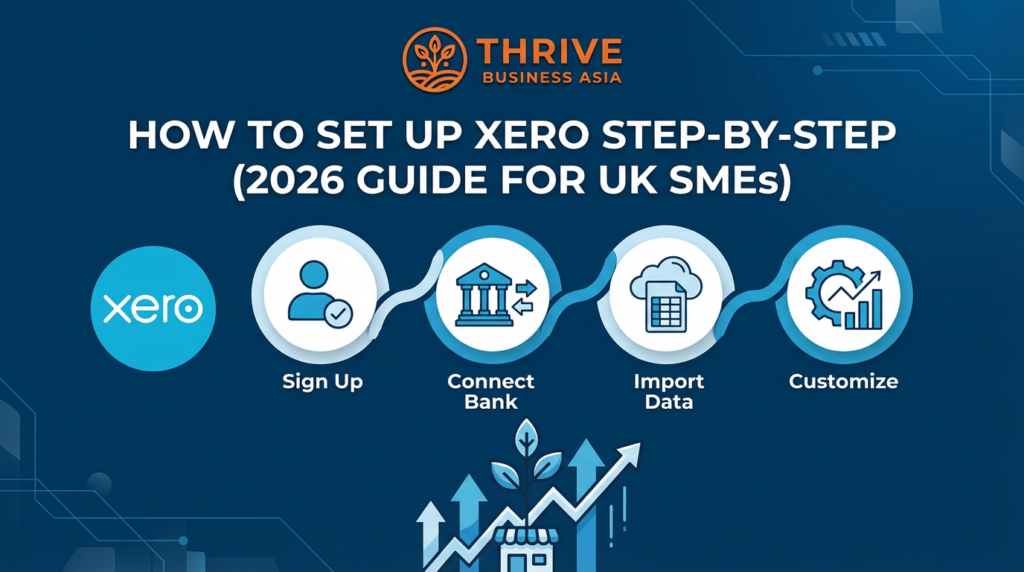
Complete Setup Guide: Xero for UK SMEs — Bank Feeds, VAT, Invoices, Payroll and Automation
What This Guide Covers
- 12 setup steps from account creation to first-week checklist
- Bank feed connection — the most important Xero setup task
- VAT and MTD configuration — HMRC-ready from day one
- Automation workflows — bank rules, repeating invoices, reminders
- Written for first-time founders, VAs, and bookkeepers
Xero by the Numbers — UK
30 days
Free trial, all features unlocked. No credit card needed.
HMRC
Recognised. MTD-compliant for VAT from day one. No extra software needed.
40%
Faster invoice payments when Stripe, GoCardless, or PayPal are enabled.
1–20
Employees — the sweet spot for Xero. Works for sole traders to growing SMEs.
50% off
First 6 months for Growth plan members. See deal
⚡ Quick Actions — Xero UK Resources
- Xero Accounting — 30-Day Free Trial + 50% Off 6 Months (Members) →
- Melio — Pay HMRC Bills Free, Syncs with Xero → — no monthly fee, pay by bank transfer or card
- UK Accounting Software Hub — All Guides in One Place →
- Xero Review 2026: Pricing, Features, Pros and Cons for SMEs →
- How Much Does Xero Cost UK 2026? Pricing, Hidden Fees and ROI Calculator →
- How to Set Up Xero for UK VAT: Step-by-Step MTD Compliance Guide 2026 →
- Xero Bank Reconciliation UK 2026: Connect Starling, Monzo, Barclays, Airwallex →
- Dext — Auto-Capture Receipts Into Xero (20% Off + 30-Day Trial) →
- Airwallex — Multi-Currency Bank Feed for Xero →
- Join ThriveOnz360 Free (Growth Plan) → — unlock Xero deal + UK accounting setup guides
Xero is one of the most popular cloud accounting tools for UK small businesses — simple, compliant, HMRC-recognised, and perfectly designed for companies with 1–20 employees.
This guide walks you through every step of setting up Xero, from signing up to configuring bank feeds, invoices, payroll, VAT, and automation workflows. Everything is written in a way a first-time founder, VA, or bookkeeper can follow.
1. Create Your Xero Account
Step 1 — Visit Xero UK
Choose the UK region so your taxes, bank feeds, and reporting default to UK settings. Start via ThriveOnz360 Xero Partner Link for the extended trial and member discount.
Step 2 — Start Your Free Trial
Xero offers a 30-day free trial with all features unlocked — no credit card required.
Step 3 — Set Your Organisation Details
You will be asked for: company name, trading name, industry, company type (Ltd / Sole trader), and financial year start date (usually 1 April in UK unless customised).
Tip: Always match your Companies House details to avoid reporting mismatches.
2. Add Your Business Details
Inside Xero settings, complete the following. These details appear on every invoice and HMRC filing.
✔ Organisation Address
Used on invoices and HMRC filings. Must match your registered address.
✔ Default Email Settings
Your invoice from email (e.g., accounts@yourcompany.com).
✔ Branding Themes
Upload logo, brand colours, and footer notes (company reg number). Multiple themes available for agencies.
3. Set Up Your Chart of Accounts
Xero preloads a standard UK-compliant chart of accounts. Customise it to reflect your actual business model.
Add accounts for your business
Examples: Advertising and Marketing, Software Subscriptions, Contractor Costs, Travel and Meals, Sales (Products), Sales (Services)
Disable accounts you do not need
Keeps your P&L and reports clean. Unused accounts create confusion at reconciliation time.
Pro Tip: Ask your accountant to approve the chart before you start — changing it later causes reconciliation errors. For UK reporting context: Xero Reports for UK Small Business 2026
4. Connect Your Bank Accounts
💰 This is the most important Xero setup task.
Your entire bookkeeping flows from your bank feed. No bank feed = no real-time accounting.
- Go to Accounting then Bank Accounts
- Click Add Bank Account
- Select your bank (Monzo, Revolut, HSBC, NatWest, Barclays all supported)
- Approve the secure Open Banking connection
Xero imports the past 90 days of transactions and all future transactions automatically.
5. Set Up Your Invoice Settings
Go to Business then Invoices and configure the following.
Invoice Configuration
- Invoice numbering format (e.g., INV-0001)
- Payment terms (e.g., 14 days)
- Default due date
- Automatic overdue reminders
- Email template wording
Enable Payment Services (+40% faster)
- Stripe (card payments)
- GoCardless (Direct Debit)
- PayPal
- Square
For agencies and multi-currency businesses: Xero for UK Agencies 2026 | Xero Multi-Currency for UK Businesses 2026
6. Import Opening Balances (If Moving From Another System)
If switching from Excel, QuickBooks, Sage, or FreshBooks, import the following using Xero CSV templates:
- ✔ Debtors (unpaid invoices)
- ✔ Creditors (unpaid bills)
- ✔ Bank balances as of switch date
- ✔ Asset values
- ✔ Loan balances
Compare Xero against your current system first: Xero vs QuickBooks UK 2026 | Xero vs Sage 2026
7. Configure VAT Settings
📌 VAT and MTD — Get This Right From Day One
Go to Accounting then VAT Returns. Xero is HMRC-recognised and MTD-ready — it will automatically calculate VAT on transactions and prepare your Making Tax Digital return.
VAT status options
- VAT Registered (Standard Rate)
- Flat Rate Scheme
- Cash Accounting
- Not VAT registered
You will need
- VAT number
- VAT registration start date
- VAT scheme type
- HMRC Government Gateway credentials
Full VAT and MTD walkthrough: How to Set Up Xero for UK VAT: MTD Compliance Guide 2026 | Making Tax Digital for Small Business 2026
8. Set Up Payroll (Optional but Useful)
If you have employees or contractors, enable Xero Payroll and configure:
- Add employee details
- Add pay items (salary, commission, benefits)
- Connect HMRC for RTI (Real Time Information) submissions
- Set pay run dates
This ensures you stay compliant with PAYE, NI contributions, and RTI filings.
Hiring globally: Best Global Payroll Software 2026 | Deel — Global EOR and Payroll
9. Upload Key Documents
Use the Files section in Xero to store receipts, supplier contracts, insurance paperwork, and bank statements. You can also email receipts directly into Xero using your unique email-in address.
🚀 Receipt automation upgrade: For high-volume receipt capture, integrate Dext with Xero. Dext achieves 98% OCR accuracy, processes supplier invoices with line items, and auto-publishes to Xero as Bills or Spend Money — eliminating manual data entry entirely. See: Dext Review UK 2026 | UK Expense Management Stack 2026
10. Set Up Automation
Xero includes automation features that save hours of admin every week. Configure all four for maximum impact.
✔ Bank Rules
Automatically categorise recurring transactions — software subscriptions, bank fees, monthly utilities. Set once, runs forever.
✔ Repeating Bills
Useful for rent, SaaS subscriptions, and marketing retainers. Keeps accounts payable accurate without manual entry.
✔ Repeating Invoices
Perfect for retainers, monthly service plans, and subscriptions. Auto-generates and sends on schedule.
✔ Automatic Invoice Reminders
Reduces late payments. Set reminders at 7 days before due, on the due date, 7 days overdue, and 14 days overdue.
11. Add Users and Permissions
Who to invite
- Accountants or bookkeepers
- Virtual Assistants
- Operations staff
- Founders and co-founders
Access level options
- Read-only
- Invoice-only
- Payroll admin
- Full adviser access
Best Practice: Separate Owner and Advisor roles — accountants should never have full administrative rights over your organisation settings.
12. Your First Week in Xero — Checklist
📅 Daily
- Check bank feed
- Reconcile transactions
- Send overdue invoice reminders
📅 Weekly
- Upload receipts (or auto-capture with Dext)
- Approve bills
- Review outstanding invoices
📅 Monthly
- Produce P&L
- Check VAT position
- Ensure all reconciliations are complete
Xero Reports for UK Small Business 2026: P&L, Balance Sheet, Cash Flow
Xero Bank Reconciliation UK 2026
How Much Does Xero Cost UK 2026? Pricing, Hidden Fees and ROI Calculator
Looking for a simple, powerful accounting system? Xero is our preferred choice for UK SMEs — intuitive, HMRC-recognised, and perfect for businesses with 1–20 employees.
ThriveOnz360 — Growth Plan (Free)
Unlock Xero Partner Pricing + UK Accounting Setup Guides
Growth members unlock 50% off Xero for 6 months, 20% off Dext + 30-day trial, multi-currency setup with Airwallex, the complete UK Accounting Stack playbook, and negotiated pricing on 50+ business tools. Free to join, no credit card required.
Related Articles and Resources
📊 Xero UK Guides
- Xero Review 2026: Pricing, Features, Pros and Cons
- How Much Does Xero Cost UK 2026?
- How to Set Up Xero for UK VAT: MTD Compliance Guide 2026
- Xero Bank Reconciliation UK 2026
- Xero Reports for UK Small Business 2026
- Xero Expenses and Mileage UK 2026
- Xero Multi-Currency for UK Businesses 2026
📊 Xero by Business Type
📋 Accounting Hub and Comparisons
- UK Accounting Software Hub — All Guides →
- Best Accounting Software UK 2026: Top 10
- Xero vs QuickBooks UK 2026
- Xero vs Sage 2026
- Making Tax Digital for Small Business 2026
- How to Choose Accounting Software: Complete SME Guide
📋 Complete the Xero Automation Stack
- Dext — Receipt and Expense Automation for Xero
- Dext Review UK 2026
- Airwallex — Multi-Currency Business Account
- Melio — Pay HMRC Bills + Suppliers Free (Syncs with Xero)
- UK Expense Management Stack 2026: Dext + Xero + Airwallex
- Complete Expense Automation Guide: Dext + Xero + Airwallex
- Best Business Bank Account UK 2026
🔍 Not sure which tool fits your situation? → 60-second Tool Finder: thriveonz360.com/tool-finder/
Last updated: March 2026. Xero pricing and features subject to change.

Former City of London fintech advisor and SME growth strategist with 12 years building lean tech stacks for founders across the UK and Southeast Asia. James has guided 500+ SMEs through software decisions that cut costs and unlock growth — and believes every founder deserves a trusted, independent voice on their side. Every review published on ThriveOnz360 follows the platform’s Editorial Standards — tools are independently assessed against UK-specific criteria including HMRC compliance, GBP pricing, FCA registration, and IR35 implications.