Complete Guide to Business Expense Automation: Dext + Xero + Airwallex Stack
Last Updated on May 11, 2026 by James Hartley
⏱️ EXCLUSIVE DEALS: Airwallex $100 credit · Dext 20% off + 30-day trial · Dext — Exclusive 20% Off for 12 Months (ThriveOnz360 Members Only) — ThriveOnz360 member exclusives. Together: eliminate 95% of manual expense work. Month 1 payback.
To automate business expense management with the Dext + Xero + Airwallex stack: (1) Set up a free Airwallex account and issue unlimited virtual cards to your team — every card purchase creates an automatic transaction record; (2) Connect Airwallex to Xero as a bank feed (5 minutes via OAuth) so transactions import daily; (3) Set up Dext and connect it to both Xero and your Airwallex bank feed — Dext’s AI will extract receipt data, match it to Airwallex transactions automatically, and publish to Xero; (4) Configure auto-categorisation rules and a three-tier approval workflow in Dext; (5) Train your team: use Airwallex card, snap receipt with Dext app in 10 seconds. Full implementation takes 4 weeks. The result: 20–25 hours of monthly expense work reduced to 1–2 hours, with a 415–670% ROI and month-one payback period. Annual savings for a 15-person business: $9,720–15,120 after tool costs.
⏱️ Expense Automation · Airwallex Virtual Cards · Dext AI Receipt Capture · Xero Reconciliation · 2026 Complete Guide
Complete Guide to Business Expense Automation: Dext + Xero + Airwallex Stack (2026)
The average small business wastes 20–25 hours per month on expense management. That’s $1,000–1,500 in staff time on receipts, data entry, and reconciliation that shouldn’t exist. This guide shows you how to eliminate 95% of it with three integrated tools — covering every step from account setup to full team rollout, with ROI calculations and real-world case studies.
✅ What the Stack Delivers
- 20–25 hrs/month → 1–2 hrs/month
- 5–10% error rate → <1%
- Month-end chaos → real-time visibility
- Manual reconciliation → one-click
- ROI 415–670% from Month 1
- Every expense audit-ready, receipt attached
⚠️ Prerequisites
- Registered business entity required
- Airwallex approval: 1–2 business days
- Best for teams of 5+ / 50+ receipts/month
- Full stack setup takes 4 weeks
- Small teams (<5): see alternative stacks
95%
Manual expense work eliminated. From 20–25 hours/month to 1–2 hours of review with the full stack.
$9,720
Minimum annual savings for a 15-person business, after all tool costs of $193/month are subtracted from recovered staff time.
10 sec
Employee time per receipt with Dext mobile — snap and submit, versus assembling monthly expense reports.
<1%
Error rate with AI-powered Dext extraction, versus 5–10% for manual data entry. Fewer corrections = fewer accountant hours.
Month 1
Payback period. Tools pay for themselves in the first month from recovered time alone — before counting error reduction or cash flow gains.
⚡ Quick Actions — Start Your Expense Automation
- Airwallex — Free Business Account + $100 Member Credit (ThriveOnz360 Exclusive) → — set up virtual cards first; every card transaction creates an automatic record that Dext matches
- Dext — 20% Off First 3 Months + Extended 30-Day Trial (ThriveOnz360 Exclusive) → — the AI receipt engine that connects Airwallex spend to Xero automatically
- Dext — Exclusive 20% Off for 12 Months (ThriveOnz360 Members Only) — the accounting hub everything reconciles into
- Dext Review 2026 → — full analysis of features, pricing, and who it’s right for
- Airwallex vs Wise vs Payoneer 2026 → — if you’re comparing payment platforms before committing
- Airwallex Multi-Currency Setup Guide → — step-by-step once you’ve signed up
- Unlock All Three Deals — Growth Plan (Free) → — access Airwallex credit, Dext discount, and Xero offer in one place
Manual expense management is killing your productivity. Between collecting receipts, data entry, categorisation, reconciliation, and month-end close, the average small business wastes 20–25 hours per month on expense-related tasks. For a team of 10–20 employees, that’s $1,000–1,500 in opportunity cost every single month.
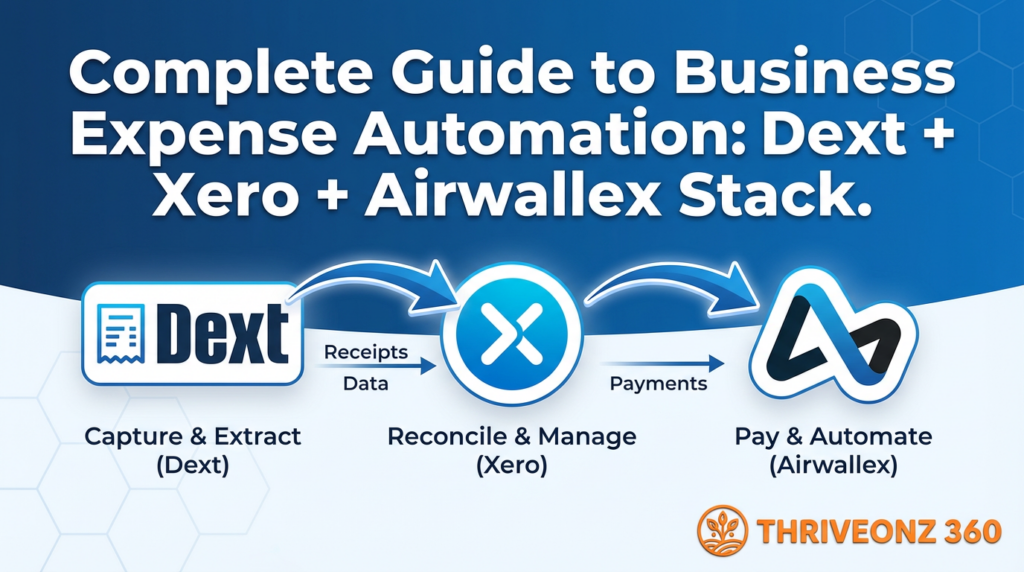
The solution is complete expense automation using a three-tool stack that eliminates 95% of manual work: Airwallex for payments and virtual cards, Dext for AI receipt capture and processing, and Xero for accounting and automatic reconciliation. This guide walks you through exactly how to set up this stack, configure integrations, and achieve near-total expense automation — including real workflows, cost breakdowns, ROI calculations, and solutions to the most common issues.
The Expense Management Nightmare (Before Automation)
❌ Typical Manual Process — 20–25 Hours/Month
During the month:
- Employees make purchases on personal or company cards
- Receipts collected — some kept, many lost
- Informal tracking via notes, photos, pockets full of paper
Month-end (last 3 days):
- Finance admin chases employees for receipts (email, Slack, in-person)
- Employees submit expense reports via Excel or Google Form
- Admin manually enters 150–300 receipts into accounting software
- Categorises each expense, matches to card statements
- Flags missing receipts — chases employees again
- Reconciles bank feeds, creates management reports
- Processes reimbursements for personal card expenses
Error rate: 5–10% (typos, wrong categories, duplicates)
Cash flow visibility: Poor — month-end only
Employee frustration: High
✅ Automated Process — 1–2 Hours/Month
Real-time (during the month):
- Employee makes purchase with Airwallex virtual card
- Employee snaps receipt with Dext mobile app — 10 seconds
- Dext AI extracts data: amount, vendor, date, category, GST/VAT
- Dext matches receipt to Airwallex transaction automatically
- Dext auto-publishes to Xero
- Xero reconciles transaction instantly — already matched
Month-end (30 minutes):
- Admin reviews Dext dashboard for any unmatched items
- Approves 2–3 manual entries (if any)
- Exports reports from Xero. Done.
Error rate: <1% (AI is more accurate than humans)
Cash flow visibility: Real-time live dashboard
Annual savings: $10,800–13,800
The Stack: Why These Three Tools?
Airwallex — Payment Infrastructure
Multi-currency business account, unlimited virtual cards, physical cards, global payments, real-time transaction feed.
Why it’s essential:
- Virtual cards create automatic transaction records — every purchase instantly logged
- No more chasing employees for credit card statements
- Spending controls: limits per card, per category, per employee
- Direct bank feed into Xero — transactions import daily
- Supports 150+ countries — SG, UK, AU, global
Airwallex vs Wise vs Payoneer → | Multi-Currency Setup Guide →
Dext — Receipt Intelligence
Mobile app to capture receipts, AI extraction of all data fields, automatic matching to bank transactions, direct publish to Xero.
Why it’s essential:
- Eliminates manual data entry — AI extracts vendor, amount, date, category, GST/VAT
- Attaches receipt PDF to transactions automatically — audit-ready
- Learns your categorisation preferences with every correction
- Handles supplier invoices too, not just receipts
- Auto-publish rules + approval workflows configurable per threshold
Xero — Accounting Hub
Chart of accounts, bank reconciliation, financial reports (P&L, balance sheet), GST/VAT tracking, 1,000+ integrations.
Why it’s essential:
- Central source of truth — every financial transaction in one place
- Bank feeds from Airwallex auto-import transactions daily
- Dext publishes expenses directly — receipts pre-attached
- One-click reconciliation when receipt already matched
- Real-time P&L, cash flow, GST reports any time
Dext — Exclusive 20% Off for 12 Months (ThriveOnz360 Members Only)
💡 Why You Need All Three — Not Two
You could use just Airwallex + Xero and skip Dext — but then you lose AI receipt matching and automatic categorisation. You’d still manually enter every receipt. Dext is the intelligence layer that makes the other two tools fully automatic. Removing it reverts you to 80% of the original manual work.
How the Three Tools Work Together
The Automated Expense Workflow — 7 Steps, 10 Seconds of Employee Effort
Uses Airwallex virtual card. Example: $50 client dinner at restaurant.
Airwallex records transaction immediately. Shows in dashboard: “Restaurant XYZ – $50 – Card 5432.”
Opens Dext app. Takes photo. Dext AI processes in 30 seconds.
Vendor, amount, date, category (learned), GST code — all extracted without any input from the employee.
Dext sees the Airwallex bank feed in Xero. Matches on amount + vendor + date. Attaches receipt PDF to transaction.
Creates expense entry: category, receipt PDF attached, GST coded correctly. Status: “Ready to reconcile.”
Xero bank feed shows the transaction. Receipt already attached. Admin clicks “OK.” Expense fully processed.
Start the Stack — All Three Tools, Exclusive Member Pricing
Airwallex $100 Credit · Dext 20% Off · Xero 50% Off
All three deals available free via ThriveOnz360 Growth Plan. No credit card to join. Payback period: Month 1.
Step-by-Step Setup Guide
Phase 1: Set Up Airwallex (Week 1)
Four Days to a Live Airwallex Setup
Day 1 — Create Business Account
- Go to airwallex.com → click “Sign Up” (business account)
- Provide business details: name, registration number, address, directors/shareholders info, incorporation certificate
- Submit for verification — approval in 1–2 days
Day 2 — Activate Currencies
- Log in → activate currencies needed (USD, SGD, EUR, GBP, AUD)
- Get local account details: SG bank, US ACH routing, UK sort code, IBAN for EUR
- Share these with clients to receive payments
Day 3 — Create Virtual Cards for Team
- Go to “Cards” → “Create Virtual Card”
- For each employee: card nickname, monthly spending limit, allowed categories
- Share card details securely via email or Slack
Day 4 — Connect Airwallex to Xero
- In Xero → “Bank Accounts” → “Add Bank Account” → search “Airwallex”
- Click “Connect” → Authorize → select which Airwallex accounts to sync
- Bank feed now active — transactions import daily automatically
Phase 2: Set Up Dext (Week 2)
Four Days to a Live Dext Setup
Day 5 — Create Dext Account
- Go to dext.com/prepare → sign up (14-day free trial, no credit card)
- Choose plan: Prepare £39/month (200 items) for small teams or Plus £79/month (500 items) for growing teams
Day 6 — Connect Dext to Xero
- In Dext: Settings → Integrations → Connect to Xero → Authorize
- Map Dext categories to Xero chart of accounts (Office Supplies → “Office Expenses”; Travel → “Travel & Accommodation”; Meals → “Meals & Entertainment”)
- Set auto-publish rules: under $50 auto-publish; $50–$500 require approval; over $500 require manager approval + comment
Day 7 — Connect to Airwallex Bank Feed
- In Dext → “Bank Feeds” → select Airwallex accounts from Xero
- Enable automatic matching on: amount (exact), date (±2 days), vendor name (80% match)
- Set confidence threshold to 85% — flag lower-confidence matches for admin review
- Test with a dummy transaction to verify matching works
Day 8 — Set Up Dext Mobile App
- Download Dext app (iOS/Android) → log in with company account
- Enable camera permissions → show employees: open app → tap camera → snap receipt → done
- Practice with 5–10 receipts to start training the AI
Phase 3: Configure Automation Rules (Week 3)
Auto-Categorisation in Dext
Vendor-based rules:
- “Starbucks” → Office Supplies
- “Grab” → Travel: Local Transport
- “Singapore Airlines” → Travel: Flights
Keyword-based rules:
- Contains “hotel” → Accommodation
- Contains “parking” → Travel: Parking
- Amount > $1,000 → Flag for review
Spending Controls in Airwallex
Card limits by role:
- Junior employees: $500/month
- Managers: $2,000/month
- Executives: $5,000/month
Restrictions:
- Block ATM withdrawals on all cards
- Block entertainment (require prior approval)
- Alert at 80% of monthly limit
Approval Workflows in Dext
Three-tier approval hierarchy:
- Tier 1 (under $50): Auto-approve
- Tier 2 ($50–$500): Manager approval
- Tier 3 (over $500): Finance director approval
SLA settings:
- Approvals within 48 hours
- Auto-reminder if not actioned
- Assign approvers by department
Phase 4: Train Your Team (Week 4)
Day 12 — Training Session (1 hour)
- Why we’re automating: time savings, real-time visibility, fewer errors
- Demo the workflow end-to-end
- Each employee’s responsibility: use Airwallex card, snap receipt immediately after purchase
- Personal card fallback: submit via Dext, note “Personal card – reimburse”
- What NOT to do: lose receipts, submit personal expenses, share card details
Day 13 — Distribute Cards
- Email each employee virtual card details securely
- Add to Apple Pay / Google Pay: open wallet → add card → verify
- Distribute physical cards if ordered (for in-person payments)
Day 14 — Soft Launch (Test Week)
- Team starts using Airwallex cards and snapping receipts
- Admin monitors Dext: are receipts being submitted promptly? Is AI categorisation accurate? Are receipts matching transactions?
- Correct miscategorised receipts — Dext learns from each correction
Days 15–30 — Full Rollout
- After 2 weeks of testing, make it mandatory
- Policy: “No receipt in Dext = no reimbursement or approval”
- Target: 95%+ receipt submission within 30 days
- Share time savings with team to celebrate wins
Configuration Deep Dive
Xero Chart of Accounts — Standard Expense Categories
| Code | Category | Code | Category |
|---|---|---|---|
| 5000 | Advertising & Marketing | 6100 | Software & Subscriptions |
| 5200 | Computer & Internet | 6200 | Telephone & Mobile |
| 5400 | Entertainment | 6300 | Travel – Accommodation |
| 5600 | Legal & Professional | 6400 | Travel – Flights |
| 5700 | Meals & Entertainment | 6500 | Travel – Local Transport |
| 5800 | Office Supplies | 6600 | Travel – Meals (during travel) |
| 5900 | Rent | 6700 | Utilities |
| 6000 | Repairs & Maintenance | 6800 | Wages & Salaries |
Map all Dext categories to the corresponding Xero codes during Day 6 setup. Correct mappings prevent the most common integration failure: expenses posting to incorrect accounts and requiring costly accountant time to fix. See: Xero Review 2026 → and Xero Bank Reconciliation Guide →
Team Workflow Examples
Example 1: Marketing Manager — Facebook Ads ($500)
- Facebook charges Airwallex marketing card → transaction recorded
- Facebook emails receipt → Manager forwards to Dext email (receipt@dext.com)
- Dext processes, matches to transaction, publishes to Xero → Category: “Advertising & Marketing”
- Xero reconciles — receipt pre-attached
Example 2: Sales Rep — Client Dinner ($120)
- Pays with Airwallex card → transaction recorded
- Snaps receipt with Dext at table + adds note: “Client dinner – Prospective customer ABC Corp”
- Dext processes: $120, Restaurant ABC, Meals & Entertainment — matches to Airwallex transaction
- Manager approves in Dext next day → Xero reconciles automatically
Example 3: Personal Card Fallback ($25)
- Forgot Airwallex card — pays with personal credit card
- Snaps receipt with Dext → selects “Personal card – Reimburse me”
- Dext processes: $25, Starbucks, Office Supplies → creates expense claim in Xero
- Admin approves → creates bill for reimbursement → pays employee via bank transfer
Cost Breakdown and ROI
Monthly Tool Costs
| Tool | Cost |
|---|---|
| Airwallex | $0/month |
| Dext Prepare (200 items) | $70/month |
| Dext Plus (500 items) | $143/month |
| Xero (Growing plan) | $50/month |
| Total (typical) | $120–250/month |
Before Automation — Monthly Cost
- Time: 20–25 hours × $50/hour = $1,000–1,250
- Error corrections & rework: $200–400
- Total: $1,200–1,650/month
After Automation — Monthly Cost
- Time: 1–2 hours × $50/hour = $50–100
- Tool costs: $120–250
- Errors: $20–40
- Total: $190–390/month
Annual savings: $9,720–15,120
ROI: 415–670% — you save 4–6× what you spend on tools
Common Issues and Solutions
⚠️ Issue 1: Receipts Not Matching to Transactions
Common causes:
- Receipt date doesn’t match transaction date (timezone difference)
- Vendor name mismatch (“ABC Pte Ltd” vs “ABC Singapore”)
- Amount rounding ($100.50 receipt vs $100 transaction)
Solutions:
- Adjust Dext matching tolerance: date ±3 days, amount allow $0.10 variance, vendor 75% threshold
- Manual match in Dext: click “Find Transaction” → link manually
- After manual matching, Dext AI learns — same vendor matches automatically next time
⚠️ Issue 3: Dext Miscategorises Receipts
Solutions:
- Correct manually: AI learns from every correction — after 2–3 corrections, gets it right automatically
- Create vendor rules: Dext Suppliers → “All receipts from Vendor X” → Category Y → overrides AI permanently
- Add context to vendor names: “Amazon Web Services (Software)” rather than just “Amazon”
⚠️ Issue 2: Employees Forgetting to Submit Receipts
Solutions:
- Hard policy: “No receipt = no approval or reimbursement.” Enforce strictly for 2–3 months
- Push notifications: Dext app sends: “You have 3 pending receipts from last week”
- Airwallex daily summary: Employee sees unmatched transactions and self-prompts submission
- Friday reminder: Automated Slack/email: “Submit this week’s receipts by EOD”
- Recognition: Celebrate 100% compliance — call out monthly receipt champions
⚠️ Issue 4: Xero Reconciliation Still Takes Too Long
Causes and solutions:
- Too many manual transactions: Issue Airwallex cards to all employees — target 90%+ of expenses through Airwallex
- Bank feed not syncing daily: In Xero → Bank Accounts → Settings → enable “Daily automatic import”
- Receipts not attached: Run “Transactions without receipts” report → enforce submission policy
Alternative Stacks for Different Scenarios
Very Small Businesses (1–5 employees)
- Wise Business — cheaper than Airwallex for low volume
- Hubdoc — free with Xero, basic receipt capture
- Xero Starter — $15/month
US-Based Businesses
- Brex or Ramp — US corporate cards with built-in expense management
- QuickBooks Online — more common in US than Xero
Case Study: Real 15-Person Digital Marketing Agency
Company Profile & Before State
- 15 employees (10 juniors, 3 managers, 2 execs)
- ~$25,000/month in expenses (ad spend, software, travel, office)
- 300 receipts/month
- Personal cards + company Amex + monthly Excel expense reports
- Finance admin: 20 hours/month at $30/hour = $600/month
- Errors & rework: ~$200/month
- Employee time chasing receipts: ~$250/month
- Total before: $1,050/month
After Automation — Results After 3 Months
- Week 1: Airwallex set up, 12 virtual cards issued
- Week 2: Dext set up, team trained on mobile app
- Week 3: Everything connected, rules configured
- Week 4: Soft launch and workflow testing
- Month 2: Full mandatory rollout
| Metric | Result |
|---|---|
| Finance admin time | 2 hrs/month ($60) |
| Tool costs | $193/month |
| Error rate | <1% (was 5%) |
| Total monthly cost | $253/month |
| Annual saving | $9,564/year |
✅ Implement This Stack If Any of These Apply:
- You process 50+ expense receipts per month
- You use Xero or QuickBooks for accounting
- Your team spends $10,000+/month on business expenses
- You’re tired of manual data entry and month-end chaos
- You want real-time visibility into spending (not just month-end)
- You process expenses across multiple currencies or countries
Frequently Asked Questions
Do I need all three tools, or can I use just two?
You need all three for full automation. Airwallex provides payment infrastructure. Dext is the intelligence layer that extracts, categorises, and matches. Xero is the accounting core. Skipping Dext means manual receipt entry — you recover about 20% of time savings instead of 95%. Skipping Airwallex means Dext can’t auto-match transactions.
Can I use QuickBooks instead of Xero?
Yes — both Airwallex and Dext integrate with QuickBooks Online. The workflow is identical. In Singapore, Australia, and the UK, Xero is the dominant choice. In the US, QuickBooks is more common. See: Best Accounting Software Singapore 2026 →
What if my team already uses Expensify?
You can add Expensify to this stack for approval and reimbursement workflows — it replaces Dext’s approval features while Airwallex + Dext + Xero handle the core automation. Better for large teams (50+) needing multi-level approvals. See: Dext vs Expensify vs Hubdoc 2026 →
Does this work for high-transaction businesses (restaurants, retail)?
Yes, but you’ll need a higher Dext plan. Restaurants can have 500–1,000 receipts/month from daily supplier purchases. Consider Dext Enterprise (custom pricing, unlimited items) for high-volume operations. The Airwallex + Xero integration remains unchanged regardless of volume.
Can employees use personal cards if they forget the Airwallex card?
Yes — they submit receipts via Dext and mark “Reimburse me.” Dext creates an expense claim in Xero. Admin approves and processes reimbursement separately. Less automated than Airwallex card (no auto-matching), but works as a reliable fallback.
How long does setup take?
4 weeks for full implementation. Benefits start in Week 2 once Airwallex + Dext are connected. Full automation achieved by Week 4 after team training. Growth Plan members get the full 30-day implementation PDF checklist. Unlock here →
Does this stack work outside Singapore?
Airwallex supports 150+ countries. Dext works globally with multi-currency receipt processing. Xero is available in 180+ countries. For UK-specific setup: UK Expense Management Stack 2026 → | Dext Review UK 2026 →
What if Dext goes down? Will we lose receipts?
No. Dext stores all receipts in the cloud (AWS). Temporary outages do not affect receipt safety — data is preserved and processes once service resumes. You can export all receipts as a ZIP file at any time for offline backup.
ThriveOnz360 — Growth Plan ($0 Forever)
Airwallex $100 Credit + Dext 20% Off + Xero 50% Off — All Free
Growth members unlock all three partner deals plus the Expense Automation ROI Calculator and 30-Day Implementation Checklist PDF. Free to join — no credit card required. Payback period: Month 1.
Related Reading
Payment & Expense Tools
- Best Business Payment Platform 2026: Airwallex vs Wise vs Payoneer →
- How to Set Up Multi-Currency Business Account: Airwallex Complete Guide →
- Dext Review 2026: Automated Receipt & Expense Management for SMEs →
- Best Receipt & Expense Management Software 2026: Dext vs Expensify vs Hubdoc →
- Dext Review UK 2026: Receipt Capture & Bookkeeping Automation →
UK-Specific Guides
- UK Expense Management Stack 2026: Dext + Xero + Airwallex Setup Guide →
- Best Business Bank Account UK 2026 (Including When to Use Airwallex) →
Xero Accounting
- Xero Accounting — ThriveOnz360 Exclusive Deal (50% Off 6 Months) →
- Xero Review 2026: Pricing, Features, Pros & Cons for SMEs →
- How to Set Up Xero Step-by-Step 2026 →
- Best Accounting Software Singapore 2026: Top 10 Picks →
- Best Accounting Software UK 2026: Top 10 for SMEs →
- Xero Bank Reconciliation UK 2026: Connect Starling, Monzo, Barclays, Airwallex →
Complete Tech Stack
- The Complete SME Tech Stack Guide 2026 →
- Complete Marketing Stack for SMEs 2026: 15 Essential Tools →
- Complete UK Tech Stack for SMEs 2026: 20 Tools, 8 Categories →
Last updated: March 2026. Tool pricing based on published rates as of March 2026 — verify current pricing at each provider’s website before purchasing. ROI figures (415–670%, $9,720–15,120 annual savings) are calculated from the example business profiles described; actual savings vary by team size, expense volume, blended hourly rate, and current error costs. Case study results are from a real business implementation; individual results will vary. ThriveOnz360 receives commissions when members click through to partner products via affiliate links (rel="nofollow sponsored noopener" applied per Google guidelines). This does not influence editorial recommendations.

Former City of London fintech advisor and SME growth strategist with 12 years building lean tech stacks for founders across the UK and Southeast Asia. James has guided 500+ SMEs through software decisions that cut costs and unlock growth — and believes every founder deserves a trusted, independent voice on their side. Every review published on ThriveOnz360 follows the platform’s Editorial Standards — tools are independently assessed against UK-specific criteria including HMRC compliance, GBP pricing, FCA registration, and IR35 implications.