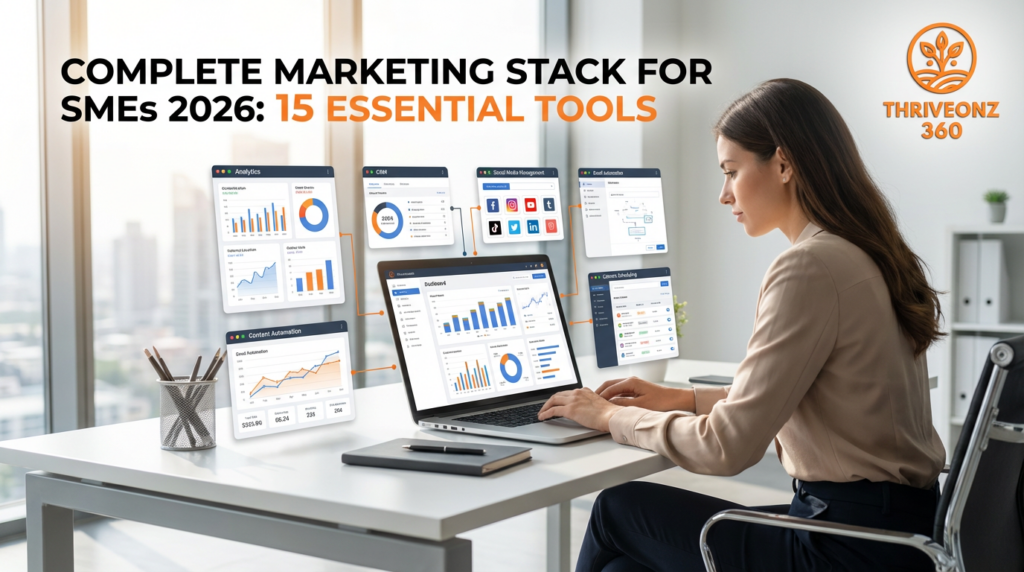
Your Marketing Budget Is Not the Problem. Your Infrastructure Is.
The SME Marketing Stack Problem
- The average SME spends $40,000–120,000/year on marketing. Enough for a genuinely competitive stack. The problem: 60% disappears into channels that can’t be tracked, tools that don’t integrate, and campaigns where you genuinely can’t tell which drove revenue and which drove nothing.
- The average marketing department uses 91 tools. The effective one uses 15–20 tools that integrate well and do distinct jobs. Overlap, duplication, and disconnected data are the real cost — not the subscriptions themselves.
- The difference between teams that scale and those that plateau at $2M–5M ARR is not creativity, budget, or channel strategy. It is deliberate construction of a stack where every tool does one job, connects to adjacent tools, and every dollar can be traced to a customer outcome.
- This guide builds that stack. 15 tools across 8 functional areas. Three tiers: 5-tool foundation ($219/month), 9-tool mid-stack ($431–505/month), full 15-tool stack ($1,200–1,800/month for 3–5 person teams). Total ROI from full stack: 253–333% conservatively.
✅ The Three Stack Principles
1. One Tool, One Job. Every tool in this stack does exactly one thing at a professional level. Semrush is your SEO tool. Leadpages is your landing page tool. WhatConverts is your attribution tool. Single-purpose tools that integrate are more effective than all-in-one platforms that do everything poorly.
2. Attribution-First Architecture. Every tool connects to either Google Analytics 4, HubSpot CRM, or WhatConverts — your attribution backbone. If a tool cannot report where leads came from or where customers went, it is not in this stack.
3. SME-Appropriate Pricing. Full stack cost: $1,200–2,800/month. That is $14,400–33,600/year — 15–30% of a typical SME marketing budget — leaving 70%+ for actual campaigns, content, and paid media.
Stack by business type: B2B SaaS ($800–1,400/month) • Professional Services ($600–1,000/month) • E-Commerce ($700–1,200/month) • B2B Agency ($900–1,600/month)
⚡ Quick Actions — Start Your Stack with ThriveOnz360 Member Deals
- Semrush — 7-Day Free Trial + 20% Off First Year for ThriveOnz360 Members → — SEO, content research, competitor analysis, rank tracking, site audit; the highest-impact tool in the stack for content-driven businesses; $139.95–499.95/month
- Leadpages — 14-Day Free Trial + 20% Off First 3 Months → — landing page builder with A/B testing, 200+ conversion-optimised templates, unlimited pages and traffic; website converts 2–3%, dedicated landing pages convert 8–15%; $49–99/month
- Brand24 — 14-Day Free Trial + Extended Trial for Growth Members → — social listening, brand monitoring, sentiment analysis, competitor Share of Voice tracking; real-time alerts to Slack; $149–299/month
- WhatConverts — 14-Day Free Trial + Exclusive Onboarding Support for Members → — call tracking, form tracking, chat attribution in one platform; the attribution layer GA4 cannot provide for service businesses; $30–200/month
- Veed.io — Free Plan + 20% Off First Year on Pro or Business → — browser-based video editing, AI subtitles in 100+ languages, multi-platform resize, no software to install; $25–83/month
- Best Social Media Monitoring Tools 2026: Brand24 vs Mention vs Hootsuite → — full side-by-side comparison to confirm Brand24 is the right monitoring choice for your use case
- Get Growth Access — Free ($0) → — unlock all five deals above plus Marketing Stack ROI Calculator, 90-day implementation playbook, attribution framework, and tool integration map
Your marketing budget is not the problem. The average SME spends $40,000–120,000 annually on marketing — enough to fund a genuinely competitive stack. The problem is that 60% of that budget disappears into channels you cannot track, tools that do not integrate, and campaigns where you genuinely cannot tell which ones drove revenue and which ones drove nothing.
This is not a measurement problem. It is an infrastructure problem.
This guide builds the right infrastructure — 15 tools across 8 functional areas, chosen specifically for SMEs (10–200 employees, $1M–50M revenue) where budget discipline matters, implementation speed matters, and ROI visibility is non-negotiable.
📊 The Complete 15-Tool Stack — By Function
🔍 Discovery & Content
1. Semrush
2. Google Analytics 4
3. Canva
🎯 Conversion
4. Leadpages
5. Typeform
6. Calendly
📷 Social & Brand
7. Brand24
8. Veed.io
9. Buffer
📰 PR & Authority
10. EIN Presswire
11. HARO
💌 Email & CRM
12. Mailchimp / ActiveCampaign
13. HubSpot CRM (free)
🔎 Lead Intelligence
14. WhatConverts
15. Leadfeeder
📋 Attribution Backbone (connects everything)
GA4 → WhatConverts → HubSpot CRM — every tool in the stack reports into at least one of these three. This is what makes the stack an architecture rather than a list of subscriptions.
Why These 15 Tools — and Not 50
The average marketing department uses 91 different tools. The effective marketing department uses 15–20 tools that integrate well and do distinct jobs. Three principles drove the selection of every tool in this stack.
One Tool, One Job. Every tool does exactly one thing at a professional level. Semrush is your SEO tool — not your email tool or your CRM. Leadpages is your landing page tool — not your website builder or webinar platform. Single-purpose tools that integrate are more effective than all-in-one platforms that do everything poorly.
Attribution-First Architecture. Every tool connects to either Google Analytics 4, HubSpot CRM, or WhatConverts. If a tool cannot report where leads came from or where customers went, it is not in this stack. Attribution is the foundation — not an afterthought you add in month six.
SME-Appropriate Pricing. Total stack cost: $1,200–2,800/month depending on team size and plan tier. That is $14,400–33,600/year — well within the typical SME marketing budget, leaving 70%+ for actual campaigns, content, and paid media.
The Stack: 15 Tools Explained
Category 1: Discovery & Content Marketing
1. Semrush — SEO, Content Research, and Competitive Intelligence
Semrush is the intelligence layer of your stack. Keyword research (find what your customers are searching for), competitor analysis (see which keywords competitors rank for and how much traffic they get), content gap analysis (identify topics your competitors cover that you do not), rank tracking, backlink analysis, and site audit for technical SEO issues.
Why SMEs need it: Organic search is the highest-ROI channel for SMEs over time. Semrush tells you which keywords are worth targeting, which content is worth creating, and which technical issues are costing you rankings. For content-driven businesses (SaaS, professional services, education), Semrush is the single highest-impact tool in the stack. It is also how you stop guessing what to write and start building content that ranks.
🔗 Semrush in the Attribution Stack
Semrush identifies the keywords and content topics. Leadpages builds the landing pages for those campaigns. WhatConverts tracks which keywords drove actual leads (not just visits). GA4 shows funnel drop-off. HubSpot shows which leads closed. This four-tool chain turns SEO from a vanity metric (rankings) into a business metric (revenue per keyword). See: Semrush Review 2026 →
Pricing: Pro $139.95/month (1–2 users) • Guru $249.95/month (3–5 users) • Business $499.95/month (agencies). ThriveOnz360 members: 7-day free trial + 20% off first year.
Alternative: Ahrefs ($129–999/month) — comparable depth, different interface. Choose on preference; both are industry-standard.
2. Google Analytics 4 — Website Traffic and Conversion Tracking
GA4 is the attribution foundation. Track visitors (source, pages visited, time on site), conversion tracking (which channels drive form fills, purchases, demo requests), funnel analysis (where users drop off), and audience segmentation by traffic source, device, and geography.
Why SMEs need it: GA4 is free and mandatory. Every other tool in this stack reports into GA4 or pulls data from it. Without GA4 properly configured — with conversion events set for every lead type — you are flying blind on which marketing activities drive outcomes. The key word is “properly configured”: default GA4 installation tracks pageviews. Properly configured GA4 tracks revenue.
Critical setup steps: Install GA4 (not just default tracking), configure conversion events for every lead type (form fill, demo request, phone call, chat), set up ecommerce tracking if applicable, connect Google Search Console, and deploy via Google Tag Manager for clean implementation.
Pricing: Free (sufficient for most SMEs up to 10M events/month).
3. Canva — Visual Content and Social Media Design
250,000+ templates for social media graphics, presentations, infographics, and marketing collateral. Brand kit (save logos, colours, fonts for consistent branded content). Team collaboration with shared brand assets. Stock photos, illustrations, and video clips. Direct publishing to Buffer.
Why SMEs need it: Professional design used to require a designer or a three-day turnaround. Canva puts professional-quality visual content in the hands of marketers and sales reps. The brand kit is the critical feature — it enforces visual consistency across every team member and content format without a brand manager policing every asset.
Pricing: Free (basic) • Pro $15/user/month • Teams $30/user/month. Alternative: Adobe Express ($9.99/month) for Adobe ecosystem users.
Category 2: Conversion & Landing Pages
4. Leadpages — Landing Page Builder and Conversion Optimisation
Build high-converting landing pages without a developer. A/B testing (test headlines, CTAs, layouts). 200+ conversion-optimised templates. Pop-ups and alert bars for on-site lead capture. Unlimited landing pages, traffic, and leads. Mobile-responsive. Lead magnet delivery automation.
Why SMEs need it: Your website converts at 2–3%. Your dedicated landing pages convert at 8–15%. Every campaign — paid ads, email, social, PR — needs a dedicated landing page optimised for one conversion action. Sending paid traffic to your homepage is one of the most common and expensive mistakes in SME marketing. Leadpages is the fastest way to build, test, and scale campaign pages without development overhead.
🔗 Leadpages + WhatConverts: From Page Visit to Attributed Revenue
Leadpages builds the campaign page. WhatConverts tracks which keyword, campaign, and ad drove each form fill or call from that page. Without WhatConverts, you see Leadpages conversion rate. With WhatConverts, you see which Google Ads campaign drove the leads that actually became customers. The difference between optimising for leads and optimising for revenue. See: Leadpages Review 2026 → | WhatConverts Review 2026 →
Pricing: Standard $49/month • Pro $99/month (A/B testing) • Advanced $399/month. ThriveOnz360 members: 14-day free trial + 20% off first 3 months.
Why Leadpages over alternatives: Faster builder than Unbounce, more conversion-focused than Wix/Squarespace, better pricing than Instapage ($199+/month).
5. Typeform — Forms, Surveys, and Lead Qualification
Conversational forms with conditional logic (questions change based on previous answers). Lead scoring (assign points to answers to qualify leads automatically). NPS surveys, customer feedback, event registration, quiz funnels. Stripe payment collection within forms.
Why SMEs need it: Standard forms convert at 10–15%. Typeform’s conversational interface converts at 20–30%. For lead qualification, the conditional logic is the critical feature — a prospect answers “What is your monthly budget?” and the follow-up question changes based on their answer. High-intent leads get routed to Calendly for immediate demo booking. Low-intent leads enter a nurture sequence in ActiveCampaign. Qualification happens automatically.
Pricing: Basic $29/month • Plus $59/month • Business $99/month. Alternative: Jotform ($39–99/month) for complex data collection with more traditional form design.
6. Calendly — Meeting Scheduling and Sales Pipeline Acceleration
Eliminate email back-and-forth for meeting scheduling. Share availability link, prospects book directly. Automated reminders reduce no-shows by 40%. Routing rules direct different meeting types to different team members. Payment collection for paid consultations.
Why SMEs need it: Every email exchange to schedule a meeting is a 15–25% drop-off risk. In a Typeform → Calendly workflow, a qualified lead completes a form and is immediately redirected to book a demo — zero friction between interest and conversation. The integration with HubSpot means every booked meeting automatically creates a deal in your CRM pipeline.
Pricing: Free (1 event type) • Standard $12/user/month • Teams $20/user/month.
Category 3: Social & Brand Monitoring
7. Brand24 — Social Listening and Brand Monitoring
Monitor brand mentions across social media, news, blogs, forums, and reviews. Real-time alerts (to Slack or email) when your brand is mentioned. Sentiment analysis (positive/negative/neutral). Influencer identification. Competitor tracking and Share of Voice. PR monitoring for journalist mentions.
Why SMEs need it: Your brand is being discussed right now — on Reddit, in industry forums, in review sites — and you have no idea. Brand24 is how you find those conversations in time to respond. A negative review on G2 caught within 30 minutes can be resolved before it compounds. A positive mention by an industry blogger can be amplified immediately. Competitor monitoring reveals product weaknesses your customers are already complaining about publicly.
🔗 Brand24 + Semrush: Monitoring + Strategy in One Intelligence Loop
Brand24 shows you what your audience is saying about your brand and your competitors right now. Semrush shows you what they are searching for. Together they answer the two questions at the centre of content strategy: “What problems does our audience have?” (Brand24: forums, Reddit, review complaints) and “How are they searching for solutions?” (Semrush: keyword volume, intent). Content built from this dual signal consistently outperforms content built from either alone. See: Brand24 Review 2026 → | Best Social Monitoring Tools 2026 →
Pricing: Individual $149/month • Team $199/month • Pro $299/month. ThriveOnz360 members: 14-day free trial + extended trial.
Why Brand24 over alternatives: Faster mention speed than Mention (3–10 minutes vs variable), broader source coverage than Hootsuite Streams (news, forums, reviews), far more affordable than Brandwatch ($1,000+/month enterprise).
8. Veed.io — Video Content Creation and Editing
Browser-based video editing with no software to install. AI auto-subtitles in 100+ languages. Multi-platform resize (one video → TikTok, Instagram, LinkedIn, YouTube formats simultaneously). Screen and webcam recording. AI translation and dubbing. Brand kit for consistent video branding. Stock media library.
Why SMEs need it: Social posts with video get 10x engagement. Landing pages with video convert 86% higher. Product demos, explainer videos, testimonials, and social content all require video production — and Veed.io puts professional video editing in the hands of a marketer with no video editing skills in 30 minutes. The multi-platform resize feature alone eliminates what used to be a 2–3 hour production task per video.
Pricing: Basic $25/month • Pro $50/month • Business $83/month. ThriveOnz360 members: free plan available + 20% off first year.
Why Veed.io over alternatives: Faster learning curve than Adobe Premiere, more business-focused than CapCut (TikTok-native), better social format optimisation than Descript (podcast-focused).
9. Buffer — Social Media Scheduling and Publishing
Schedule posts across Instagram, Facebook, LinkedIn, Twitter, Pinterest, TikTok. Visual content calendar. AI-powered best-time-to-post recommendations. Analytics per platform (engagement, reach, clicks). Team collaboration and approval workflows. Canva integration (design and publish in one workflow).
Why SMEs need it: Posting consistently across 4–5 social platforms manually consumes 8–12 hours per week. Buffer reduces that to 2–3 hours of batch scheduling per week while maintaining consistent presence. The Canva → Buffer integration is the key workflow: design in Canva, push directly to Buffer’s queue, auto-publish at optimal time per platform. No manual copy-paste, no format juggling.
Pricing: Free (3 channels) • Essentials $6/channel/month • Team $12/channel/month • Agency $120/month. Alternative: Hootsuite ($99–739/month) for more features at higher cost; Later ($25–80/month) for Instagram-first workflows.
Category 4: PR & Authority Building
10. EIN Presswire — Press Release Distribution
Distribute press releases to 500+ news outlets, journalists, and media databases. Guaranteed placement on major news site feeds (AP, Reuters, Bloomberg). SEO benefit: backlinks from high-authority news domains. Media contact database. Multimedia releases (images, video, audio). Analytics on journalist opens and outlet pickups.
Why SMEs need it: Press releases serve two purposes in the stack: brand visibility (reaching journalists covering your industry) and SEO (authoritative backlinks from news domains that Semrush will show you improving your domain authority). For product launches, funding announcements, awards, and thought leadership, EIN Presswire delivers at a fraction of traditional PR agency cost ($400–1,500/month retainer vs $99–399/release).
Pricing: Basic $99–199/release • Premium $399–699/release. Monthly plans for frequent releases.
Why EIN Presswire over alternatives: Broader guaranteed distribution than PRWeb, more affordable than Business Wire ($400–1,500/release), better media contact access than PR Newswire.
11. HARO (Help a Reporter Out) — Media Opportunity Sourcing
Free daily emails with journalist queries seeking expert sources. Respond to relevant queries to get quoted in major publications (Forbes, Entrepreneur, TechCrunch, industry press). Filter by topic and industry.
Why SMEs need it: HARO is the single best free tool for earning media coverage. Journalists actively seek expert quotes — responding to 3–5 queries per week generates 1–2 high-authority backlinks and media mentions per month. For thought leadership and SEO backlinks, HARO is unmatched ROI: free tool, 2–3 hours per week, 12–24 authoritative mentions per year. Pair HARO mentions with EIN Presswire press releases and Brand24 media monitoring for a complete earned media operation.
Pricing: Free (3 daily query emails) • Paid $19–499/month (earlier access, more queries). The free plan is sufficient for most SMEs.
Category 5: Email Marketing & Automation
12. Mailchimp or ActiveCampaign — Two Paths Based on Complexity
Mailchimp — Simple Email Marketing
Email campaigns and newsletters, audience segmentation, basic automation (welcome series, abandoned cart), landing pages and forms, Facebook/Instagram social ads. Best for e-commerce and content businesses with straightforward campaigns.
Pricing:
Free (500 contacts, 1,000 emails/month) • Essentials $13/month • Standard $20/month • Premium $350/month
ActiveCampaign — Advanced Automation
Conditional logic workflows (“if clicked link A, send email B; if not, wait 3 days and send C”), lead scoring (email engagement + website behaviour), CRM with sales pipeline, SMS marketing, predictive sending (AI determines best send time per contact). Best for B2B SaaS and agencies.
Pricing:
Plus $49/month (3 users, 1,000 contacts) • Professional $149/month • Enterprise $259/month
Decision rule: Straightforward email campaigns + e-commerce or content business → Mailchimp. Complex nurture workflows + lead scoring + B2B sales pipeline → ActiveCampaign. Both integrate with Leadpages, Typeform, HubSpot, WhatConverts, and Zapier.
13. HubSpot CRM (Free) — The Stack’s Central Data Hub
Store contacts, companies, and deals in one centralised database. Track all customer interactions (emails, calls, meetings, website visits). Sales pipeline visualisation. Task and activity logging. Email tracking (know when prospects open your emails). Meeting scheduling. Free forever for unlimited users and contacts.
Why SMEs need it: Every tool in this stack generates leads, tracks activity, or captures data. HubSpot CRM (free) is where all that data lives. Leadpages captures a lead → HubSpot creates a contact. Calendly records a meeting → HubSpot logs the activity. WhatConverts tracks a call → HubSpot attributes the source. Typeform qualifies a lead → HubSpot scores the deal. The free CRM is sufficient for most SMEs. Upgrade to paid Marketing or Sales Hub only when you need additional automation layers beyond what ActiveCampaign and Leadpages already provide.
Pricing: Free (unlimited users and contacts) • Paid tiers $50–3,000+/month for Hub add-ons.
Category 6: Lead Intelligence & Attribution
14. WhatConverts — Call Tracking, Form Tracking, and Marketing Attribution
Track phone calls (which marketing source drove each inbound call), form fills (which campaign and keyword generated each lead), and live chats (attribute chat leads to specific campaigns). Marketing attribution dashboard showing which channels drive the most leads and revenue. Call recording and transcription. Integration with GA4 and CRM.
Why SMEs need it: GA4 shows website visits. WhatConverts shows which visits turned into actual leads and which marketing sources drove them. For service businesses (legal, healthcare, home services, B2B), a significant percentage of conversions happen via phone call — invisible to GA4. WhatConverts closes that attribution gap. The result: you can see that Google Ads keyword “emergency HVAC repair” drove 12 calls last month, and 9 of those became paying customers. That is the data you need to make media buying decisions.
🔗 WhatConverts: The Attribution Layer the Whole Stack Plugs Into
WhatConverts is the tool that makes the rest of the stack accountable. Leadpages landing pages get call tracking numbers. Semrush-identified keywords get lead attribution. Brand24-monitored PR campaigns get form tracking. Email campaigns from Mailchimp/ActiveCampaign get attributed leads. Everything flows into one attribution dashboard that answers: “Which channel, campaign, and keyword drove the leads that became customers?” See: WhatConverts Review 2026 → | WhatConverts vs CallRail vs CallTrackingMetrics →
Pricing: Starter $30/month (50 leads) • Standard $100/month (200 leads) • Professional $200/month (500 leads). ThriveOnz360 members: 14-day free trial + exclusive onboarding support.
Why WhatConverts over alternatives: More affordable than CallRail ($45–145/month) for call tracking alone, tracks calls + forms + chats in one platform, better attribution dashboard than standalone call tracking tools.
15. Leadfeeder — Website Visitor Identification
Identify which companies visit your website even if they never fill out a form. See which pages they visited, how long they stayed, and what they viewed. Score companies by behaviour (high-intent vs browsing). Sales alerts when target accounts visit. CRM integration to create automatic leads.
Why SMEs need it: 98% of website visitors leave without filling out a form. Leadfeeder tells you which companies those visitors work for — enabling outbound follow-up on warm traffic. For B2B businesses with named account targets, Leadfeeder is the bridge between anonymous traffic and actionable sales intelligence. A prospect from your target account list reads your pricing page three times — Leadfeeder fires a Slack alert to your sales rep before the lead ever submits a form.
Pricing: Free (7 days history) • Premium $139/month (full history, CRM integration). Alternative: Clearbit Reveal ($2,000+/month) for deeper enrichment at enterprise pricing.
Stack Combinations by Business Type
B2B SaaS ($2M–10M ARR)
Priorities: Inbound leads, content marketing, demo requests, trial signups, attribution
Essential 9-tool stack:
Semrush • GA4 • Leadpages • Typeform • Calendly • Brand24 • HubSpot CRM • ActiveCampaign • WhatConverts
Monthly cost: $800–1,400/month
Professional Services (Legal, Consulting, Accounting)
Priorities: Local SEO, reputation management, phone calls, consultation bookings
Essential 8-tool stack:
Semrush • GA4 • Leadpages • Calendly • Brand24 • HubSpot CRM • Mailchimp • WhatConverts
Monthly cost: $600–1,000/month
E-Commerce ($1M–10M Annual Revenue)
Priorities: Product promotion, social engagement, video content, customer retention
Essential 10-tool stack:
Semrush • GA4 • Canva • Leadpages • Typeform • Veed.io • Buffer • HubSpot CRM • Mailchimp • Brand24
Monthly cost: $700–1,200/month
B2B Agency (Marketing, Design, Development)
Priorities: Thought leadership, client acquisition, case studies, referrals
Essential 11-tool stack:
Semrush • GA4 • Canva • Leadpages • Typeform • Calendly • Brand24 • Veed.io • Buffer • HubSpot CRM • Mailchimp or ActiveCampaign
Monthly cost: $900–1,600/month
Pricing Summary: Three Stack Tiers
Foundation (5 Tools)
Start here. Month 1.
- GA4 — Free
- HubSpot CRM — Free
- Semrush Pro — $139.95/month
- Leadpages Standard — $49/month
- WhatConverts Starter — $30/month
Total: ~$219/month
Mid-Stack (9 Tools) ⭐ Most Popular
Add in months 2–3.
- Everything above +
- Brand24 Individual — $149/month
- Mailchimp Essentials — $13/month
- Buffer Essentials — $36/month
- Canva Pro — $15/user/month
Total: $431–505/month
Full Stack (15 Tools)
Complete in months 4–6.
- Everything above +
- Veed.io Pro — $50/month
- Typeform Plus — $59/month
- Calendly Standard — $12/user/month
- Leadfeeder Premium — $139/month
- EIN Presswire — as needed
- HARO — Free
Total: $1,200–1,800/month (3–5 person team)
Implementation Roadmap: First 90 Days
Month 1: Foundation (Tracking & CRM)
Weeks 1–2: Analytics and CRM
- Install GA4 on website
- Configure GA4 conversion events (form fills, demo requests, purchases)
- Set up HubSpot CRM (free)
- Connect GA4 and HubSpot
Weeks 3–4: Lead Capture and Attribution
- Implement WhatConverts call and form tracking
- Connect WhatConverts to GA4 and HubSpot
- Set up Calendly and integrate with HubSpot
- Test: submit a form, book a meeting, verify CRM data flow
Result: every lead source tracked, every conversion measured
Month 2: Content & Conversion Infrastructure
Weeks 5–6: SEO and Content
- Set up Semrush (7-day trial for members)
- Run competitor analysis (top 3)
- Identify 20 high-priority keywords for Q2
- Run site audit, fix critical technical issues
- Create content calendar from keyword data
Weeks 7–8: Landing Pages and Forms
- Build 3 campaign landing pages in Leadpages
- Set up Typeform for lead qualification
- A/B test: 2 variants of highest-traffic landing page
- Integrate Leadpages + Typeform with HubSpot + GA4
Result: conversion-optimised pages and 90-day content plan
Month 3: Social, Brand, and Email Activation
Weeks 9–10: Brand and Social
- Set up Brand24 (brand, competitors, industry keywords)
- Configure Slack alerts for urgent mentions
- Set up Buffer for social scheduling
- Create 30-day social content calendar
- Set up Canva team account with brand kit
Weeks 11–12: Email and Video
- Set up Mailchimp or ActiveCampaign
- Build welcome sequence (3–5 emails)
- Set up Veed.io, create first 3 marketing videos
- Publish videos to YouTube, embed on landing pages
Result: full social, email, brand monitoring, video capability
ROI Analysis: What This Stack Delivers
Attribution Visibility
Before: $8,000/month spend, leads unknown by source, cost per lead unknown, channel effectiveness guesswork.
After: 120 leads/month, 45 from organic, 30 from paid, 25 from email, 20 from social. Cost per lead: $66.67 overall, $31.11 from organic. Decision: double organic, optimise paid pages, cut underperforming social.
Value: $1,600–2,400/month recovered from reallocating wasted budget
Conversion Rate Improvement
Before: 2.1% website conversion rate. 10,000 visitors/month = 210 leads.
After (Leadpages A/B testing, Typeform, optimised CTAs): 8.5% landing page rate, 3.2% overall. 10,000 visitors/month = 320 leads. 110 additional leads. At $2,000 LTV and 15% close rate: 110 × 0.15 × $2,000 = $33,000/month additional revenue potential.
Value: $10,000–33,000/month additional pipeline
Time Efficiency
Before (manual): Social posting 8 hrs/week + content research 6 hrs + lead tracking 5 hrs + video editing 4 hrs = 23 hrs/week = 92 hrs/month.
After (automated): Buffer 2 hrs + Semrush 2 hrs + WhatConverts 1 hr + Veed.io 1.5 hrs = 6.5 hrs/week = 26 hrs/month. 66 hours saved × $50/hr = $3,300/month.
Value: $3,300/month in recovered labour cost
Total Stack ROI: 253–333%
Stack cost: $1,500/month (average full stack) • Attribution efficiency: $2,000/month • Time efficiency: $3,300/month • Conversion improvement: $10,000–33,000/month additional pipeline • Conservative net benefit: $3,800–5,000/month
Frequently Asked Questions
Q: Can I start with just 5 tools and add the rest later?
Yes. The 5-tool foundation: GA4 (free), HubSpot CRM (free), Semrush ($139.95/month), Leadpages ($49/month), WhatConverts ($30/month). Total $219/month. This gives you tracking, content strategy, conversion pages, and attribution — the minimum viable marketing stack. Add email (Mailchimp), social (Buffer), and brand monitoring (Brand24) in months 2–3.
Q: What if I already have some of these tools?
Keep what works. This stack is modular. If you already use Mailchimp and it integrates well with your CRM and landing pages, keep it. If you already use Hootsuite instead of Buffer, there is no compelling reason to switch. The framework (attribution-first, one-tool-one-job, everything connects to the CRM) matters more than the specific tools.
Q: Are there cheaper alternatives to Semrush?
Yes, with trade-offs. Ubersuggest ($29/month) has much more limited data depth. Mangools KWFinder ($49/month) has good keyword research but weaker competitive analysis. Ahrefs ($129/month) is comparable to Semrush — choose on preference. For serious content marketing, the Semrush investment pays for itself in the first month of properly optimised content. See: Semrush Review 2026 →
Q: Do I need both Leadpages and my website?
Yes. Your website is your permanent content home (blog, about, services, resources). Leadpages is for high-conversion campaign pages (lead magnets, webinar registration, product launches, limited-time offers). Websites convert at 2–3%. Dedicated landing pages convert at 8–15%. You need both, and they serve different purposes.
Q: What about paid advertising platforms (Google Ads, Facebook Ads)?
This stack includes the infrastructure that makes your advertising work (landing pages, tracking, attribution, CRM) but not the ad platforms themselves. Google Ads and Facebook Ads are channels where you deploy budget, not tools in your marketing stack. The value of this stack for paid media: when you spend $5,000 on Google Ads, WhatConverts and GA4 show you exactly which keywords, campaigns, and landing pages delivered ROI — data you cannot get from Google Ads alone.
Q: How long until I see ROI?
Attribution ROI is immediate (week 1 — you finally know where leads come from). Conversion optimisation ROI arrives in 30–60 days (landing page A/B tests show results quickly). Brand monitoring ROI is immediate (catch negative mentions same day). Email automation ROI: 60–90 days. SEO content ROI: 3–6 months. Overall: measurable ROI within 90 days, compounding over 6–12 months.
Q: What is the #1 mistake SMEs make with marketing stacks?
Buying 30 tools with 15% feature overlap and zero integration. Every tool seems essential in the demo. The result: $5,000/month in subscriptions, data in 12 places, and no single source of truth on what is working. Build your stack around attribution first (GA4, HubSpot CRM, WhatConverts), then add tools that integrate with that foundation.
ThriveOnz360 — Growth Plan
Stop Guessing Which Campaigns Drive Revenue. Build the Attribution Stack That Tells You.
Growth members unlock: Semrush (7-day trial + 20% off first year — SEO and content intelligence), Leadpages (14-day trial + 20% off first 3 months — landing pages that convert at 8–15%), Brand24 (extended free trial — real-time brand and competitor monitoring), WhatConverts (14-day trial + onboarding support — call, form, and chat attribution), and Veed.io (free plan + 20% off first year — video content for 10x social engagement).
Plus: Marketing Stack ROI Calculator (enter your business type and team size, get projected stack cost and expected return), 90-day implementation playbook (week-by-week checklists + integration instructions), Marketing Attribution Framework (how to connect all 15 tools for complete lead source visibility), Tool Integration Map, and 45-minute video walkthrough of the complete stack. No credit card. No contracts.
Related ThriveOnz360 Guides: Complete Tool Index
SEO & Content Discovery
- Semrush — 7-Day Free Trial + 20% Off First Year (Growth Members) →
- Semrush Review 2026: SEO and Content Marketing Platform →
- Best SEO Tools 2026: Semrush vs Ahrefs vs Moz →
Landing Pages & Conversion
- Leadpages — 14-Day Free Trial + 20% Off First 3 Months →
- Leadpages Review 2026: Landing Page Builder and Conversion Platform →
- Best Landing Page Builder 2026: Leadpages vs Unbounce vs Instapage →
Brand Monitoring & Social
- Brand24 — Extended Free Trial for Growth Members →
- Brand24 Review 2026: Social Media Monitoring & Brand Tracking →
- Best Social Monitoring Tools 2026: Brand24 vs Mention vs Hootsuite →
Video Content
Attribution & Lead Intelligence
- WhatConverts — 14-Day Free Trial + Onboarding Support →
- WhatConverts Review 2026: Call Tracking and Marketing Attribution →
- WhatConverts vs CallRail vs CallTrackingMetrics 2026 →
Lead Generation & Capture
- How Small Businesses Get Leads Online in 2026 →
- Lead Generation Strategies for SMEs 2026 →
- 6 Ways to Promote Your Business Online in 2026 →
SME Operations Stack Guides
- Complete SME Tech Stack Guide 2026: Every Business Function →
- Complete Expense Automation Stack: Dext + Xero + Airwallex →
- Best WhatsApp Business API 2026: Wati vs Interakt vs Twilio →
Business Case for Stack Investment
ThriveOnz360 receives commissions when members click through to partner products via affiliate links on this page. This does not influence editorial recommendations. Tool selections reflect independent assessment of fit for SMEs at the revenue and team size described. Pricing accurate as of publication; verify current pricing directly with each vendor.